Your list, straight into your basket.
Meal Hack creates your shopping list in Checkers or Woolworths, matched to products on the shelf, and tells you plainly about anything the store doesn't sell. Open it, add it all to your basket, and check out in the store's own app.
Nothing is ordered or paid by Meal Hack. You stay in charge of the order, the delivery slot and the payment.
Coming soon: Pick n Pay.
Checkers Sixty60
Three taps to a full basket.
- In your shopping list, choose Checkers and tap “Create Checkers shopping list”.
- When it says your list is ready, tap Open in Checkers.
- Open the list in Sixty60 and tap Add All To Basket, then check out.
Sixty60 lists hold items, not amounts, so Meal Hack lists the few to raise in your basket (“Corn Tortilla ×3”). Everything else goes in as 1.
Woolworths
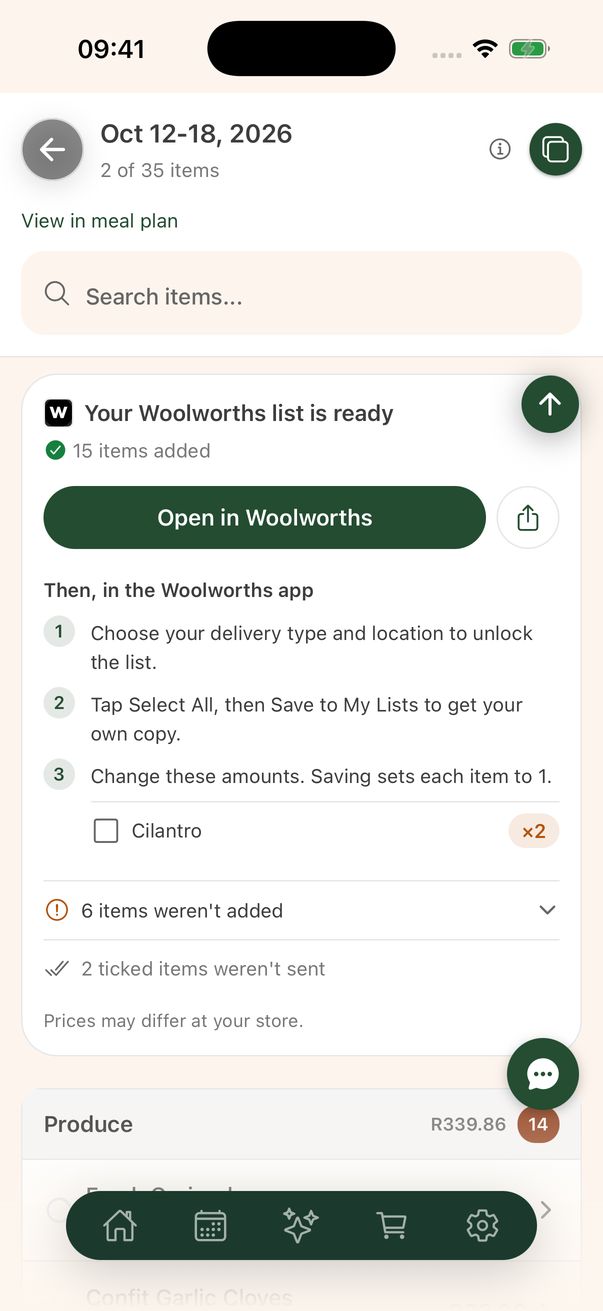
Shared as a list you can save.
- In your shopping list, choose Woolworths and tap “Create Woolworths shopping list”.
- In the Woolworths app, choose your delivery type and location first. That unlocks the list.
- Tap Select All, then Save to My Lists to get your own copy you can change.
Woolworths sets each item to 1 when you save the list. Meal Hack shows you the items that need more than one, so you can change those amounts.
What gets shared
Your items, nothing about you.
- The list is created on a Meal Hack store account, not your own.
- It holds your items and nothing personal about you.
- Items you've already ticked off aren't sent.
- Anyone with the link can view the list.
If something on your list isn't sold at the store, Meal Hack says so after sending, and tells you which items weren't added and why.
Plan the week. Send the list. Cook.
Free on iPhone and Android.